For iPhone & iPad · DWG · DXF · PDF

Turn house drawings into 3D — and check what’s built.

TrueWall opens your house drawings, finds the floor plans and turns them into rooms with real dimensions and a 3D model of the whole house. Then scan the built rooms with LiDAR and see which walls are off before work goes further.

Free to download. Quick read runs free on your device.

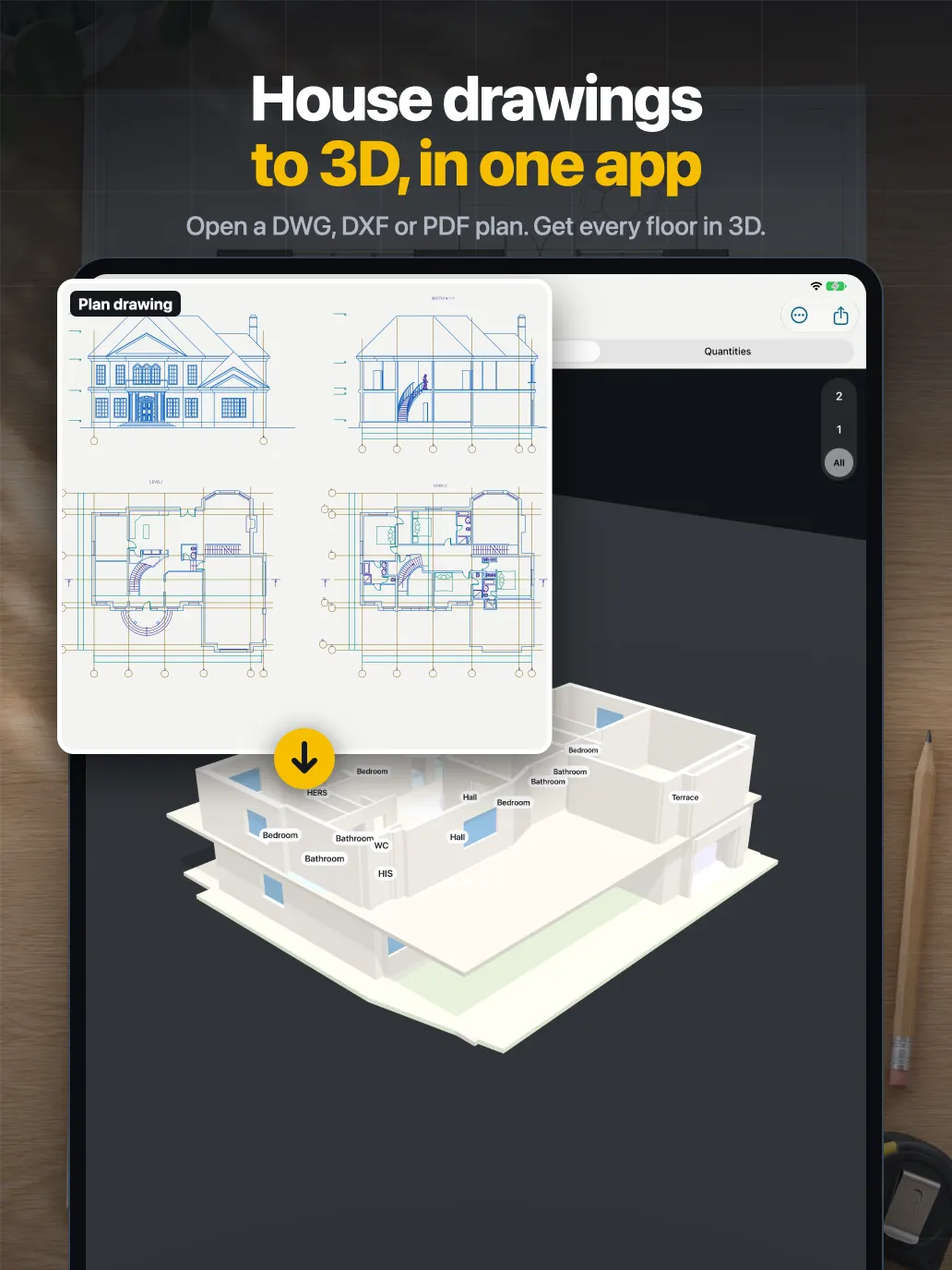
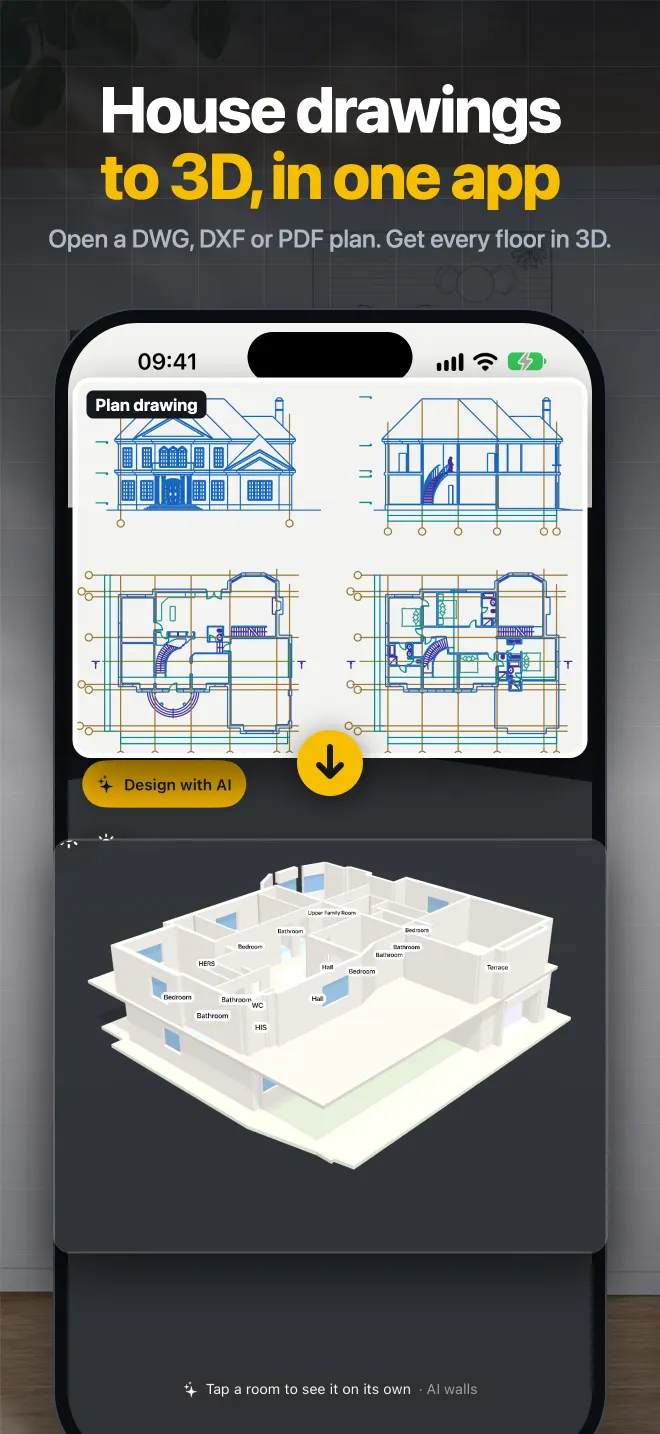
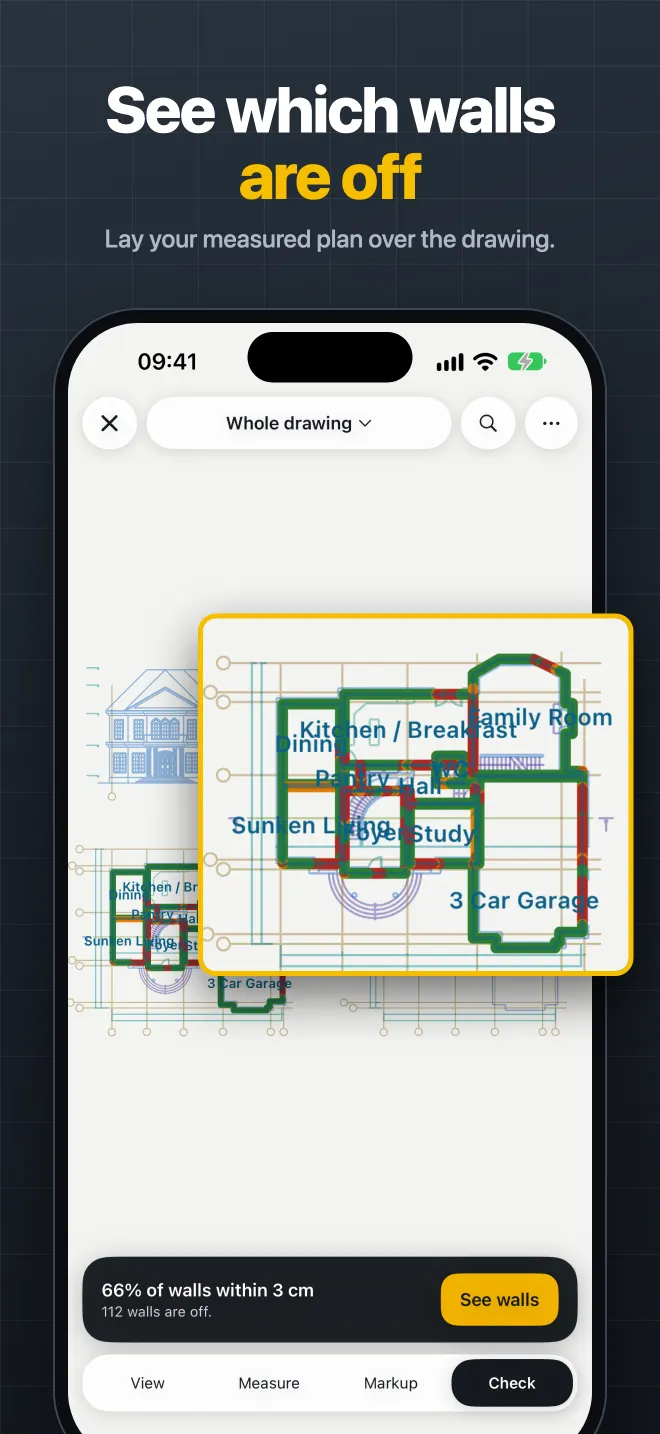
TrueWall turning a house drawing into a 3D model of the house A measured plan laid over the drawing, showing which walls are off
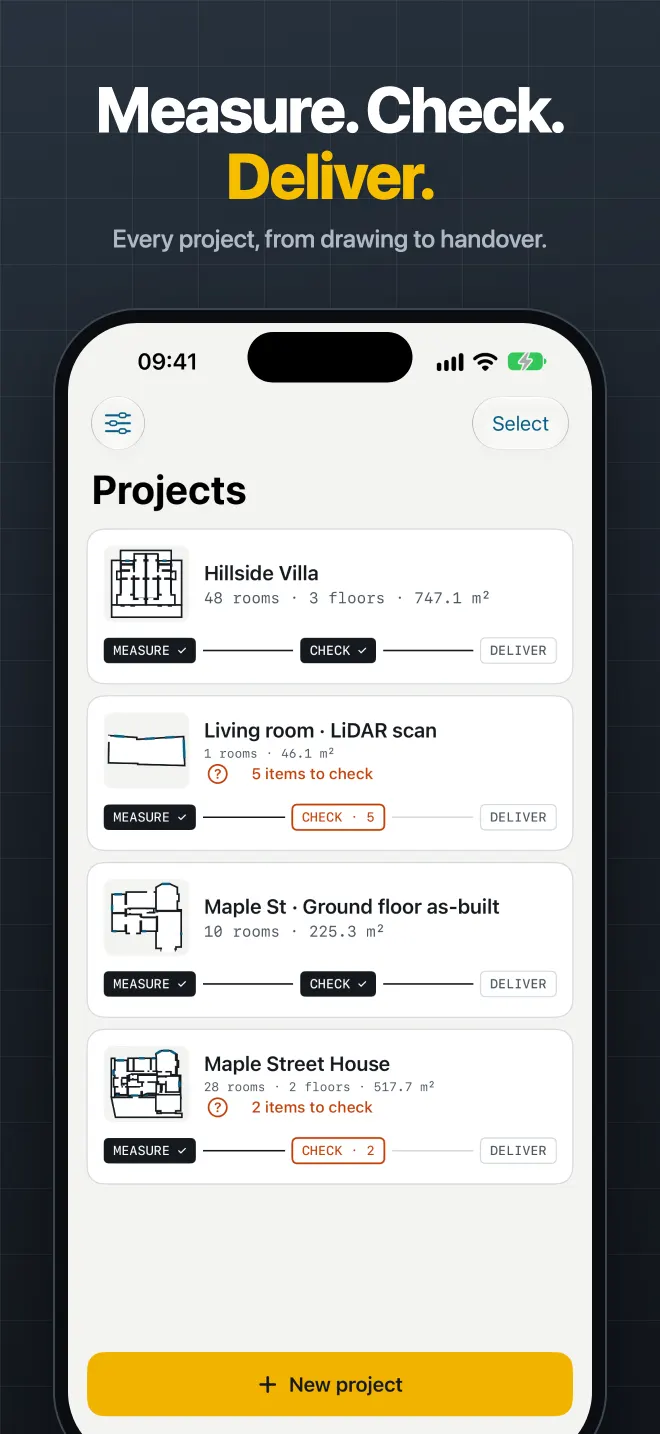
Measure · Check · Deliver

From the drawing to the built house, in one app

Made for people building or renovating a house: homeowners, architects, contractors and interior designers.

Open

Floor plans become rooms

  • Open DWG, DXF and PDF drawings on the device, offline.
  • TrueWall detects each floor plan in the file and turns it into rooms, floor by floor.
  • Quick read runs free on your iPhone or iPad. Deep read uses AI (credits) to name rooms and find doors, windows and furniture on complex drawings.
  • Pan, zoom and measure any distance or area on the plan.
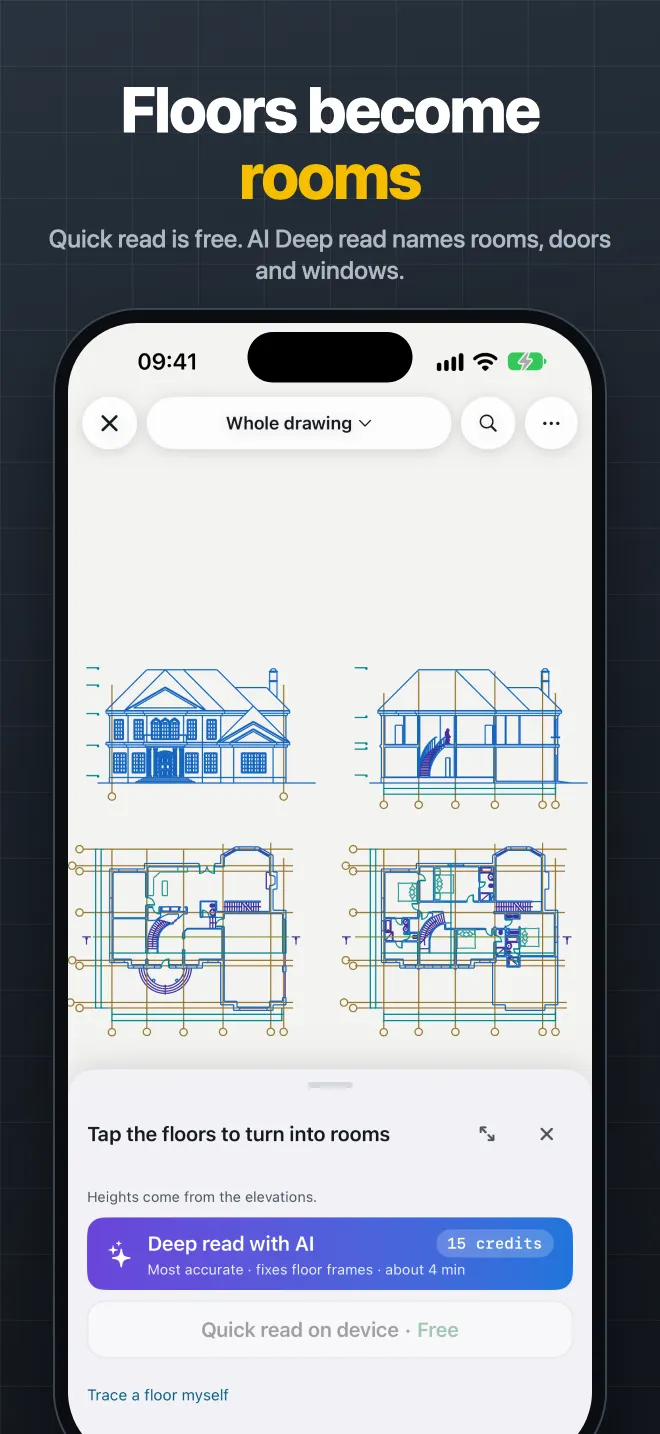
Floor plans in a drawing turning into rooms, with Quick read and Deep read options
3D

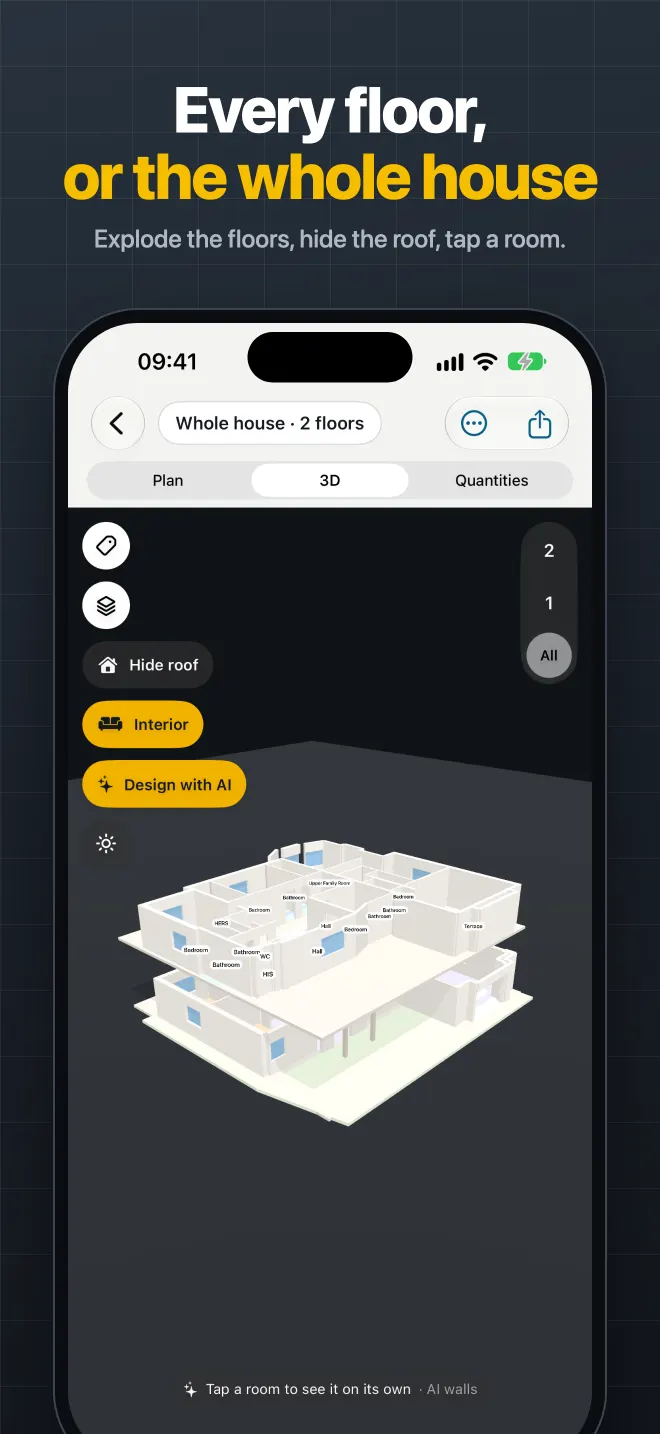
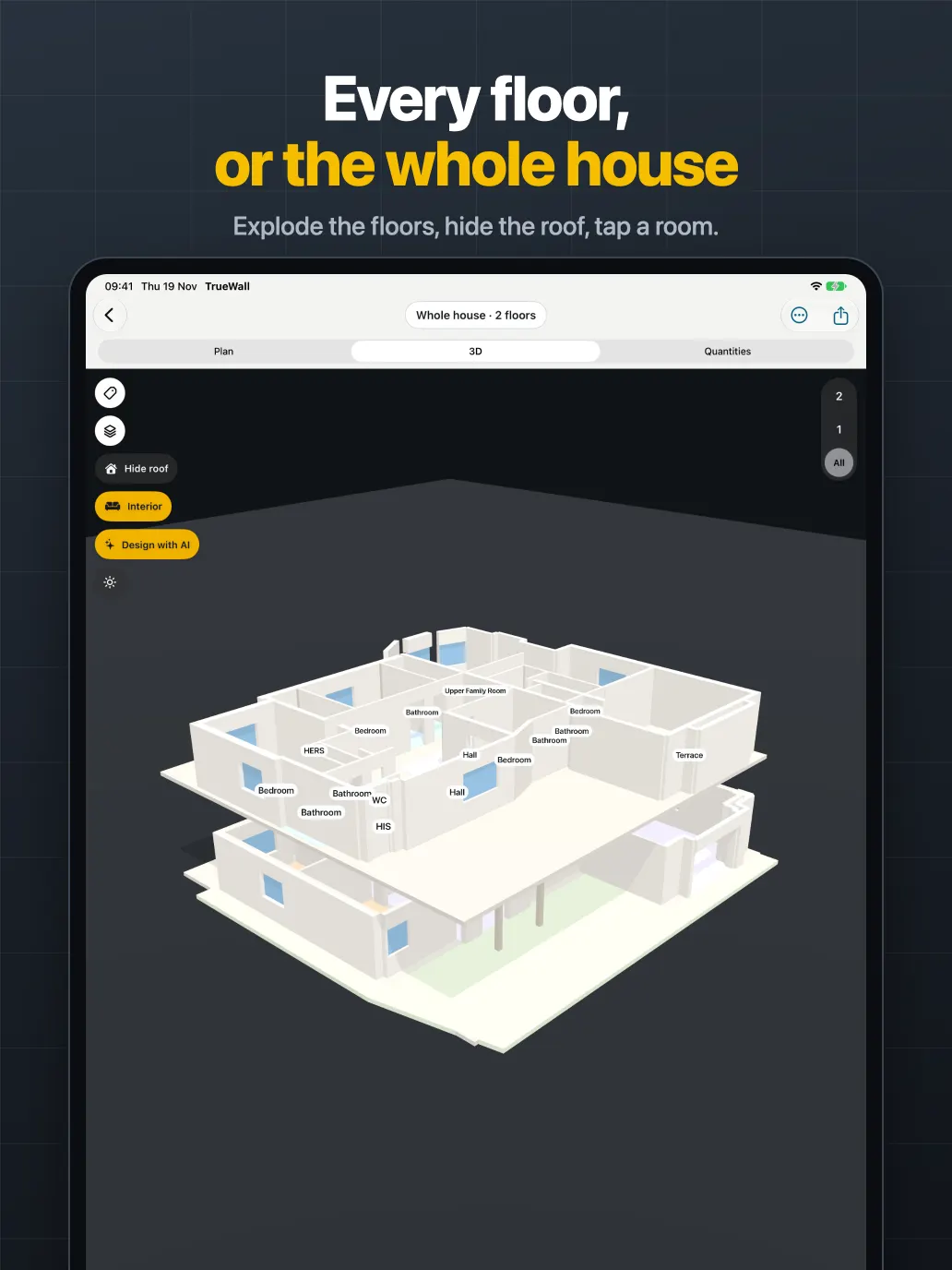
Every floor, or the whole house

  • A 3D model of every floor, or the whole house stacked and exploded.
  • Hide the roof, tap a room, check heights, openings and stairs.
  • Export USDZ, OBJ or a web 3D viewer to share with clients.
Exploded 3D model of a two-storey house
Scan

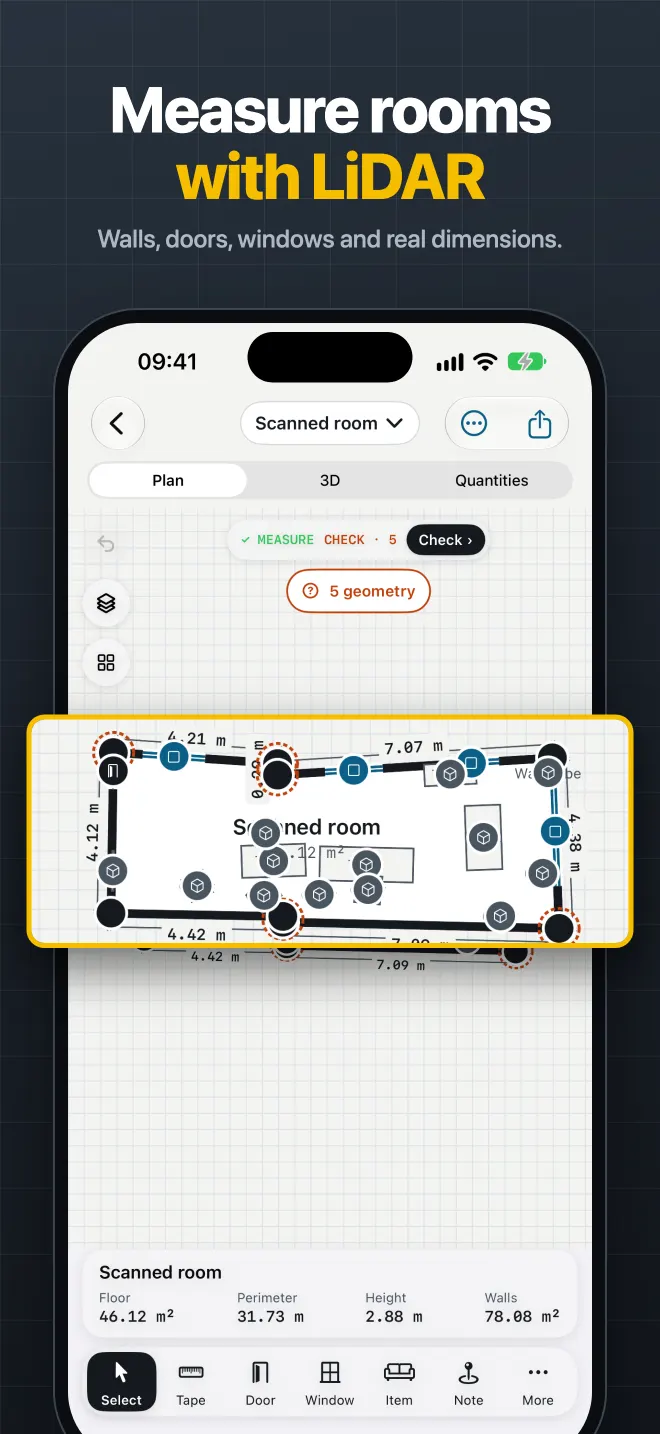
Measure rooms with LiDAR

  • Scan a room with LiDAR and get a floor plan with walls, doors and windows.
  • No LiDAR? Measure by tapping the corners in AR.
  • Floor area, wall area, ceiling height and volume for every room.
A LiDAR-scanned room with walls, doors and dimensions
Check

See which walls are off

  • Lay the scan of the built rooms over the design plan.
  • See the percentage of walls within your tolerance, and every wall that is off.
  • Mark up problems on the drawing and export them back as a DWG layer.
Walls compared with the drawing, with walls outside tolerance highlighted
Quantities

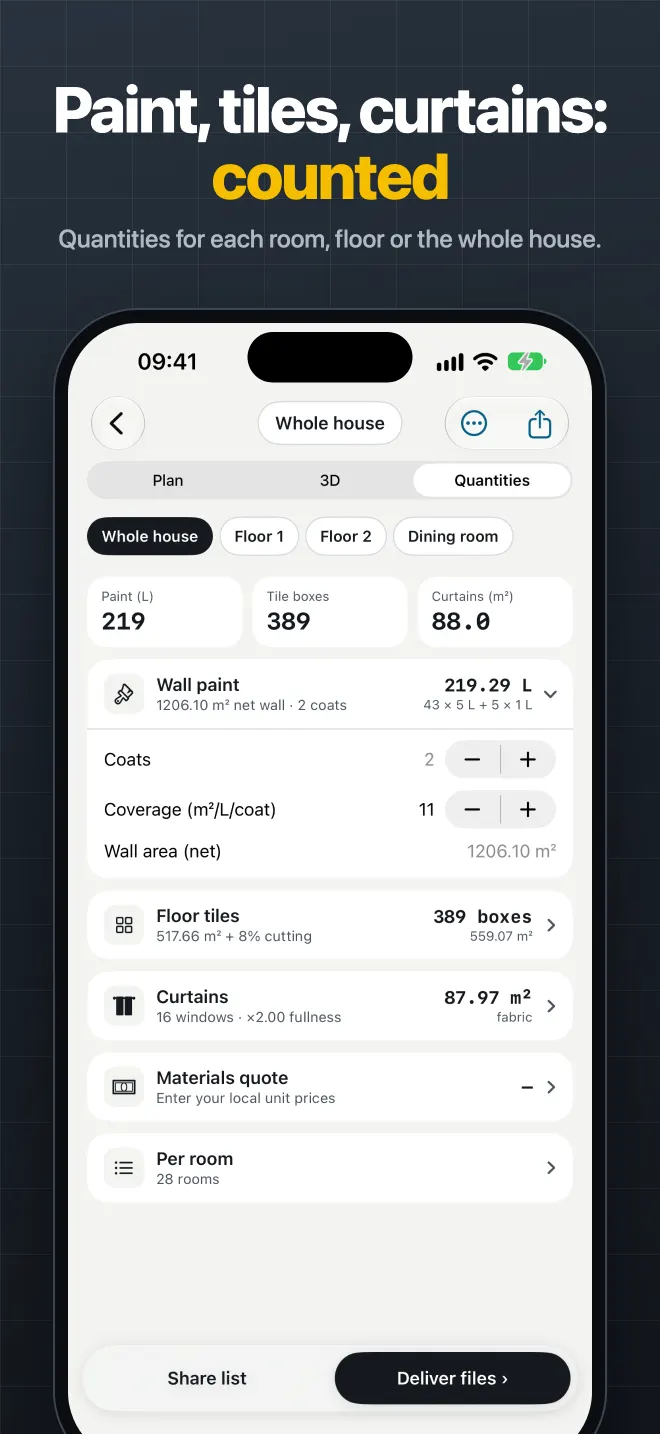
Paint, tiles, curtains: counted

  • Paint, tiles, flooring and curtains from the real room sizes.
  • Per room, per floor or for the whole house.
  • Export the take-off to Excel or CSV and price it with your own rates.
Quantities of paint, tiles and curtains for the whole house
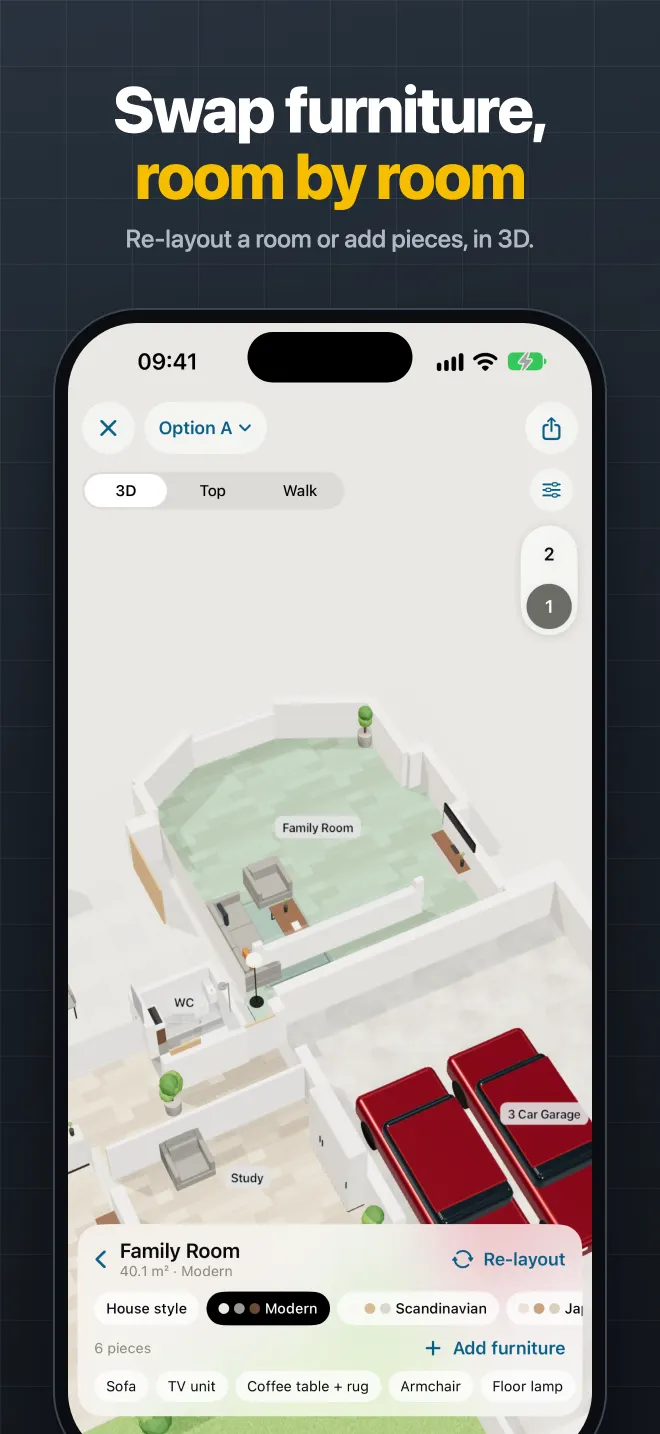
AI design

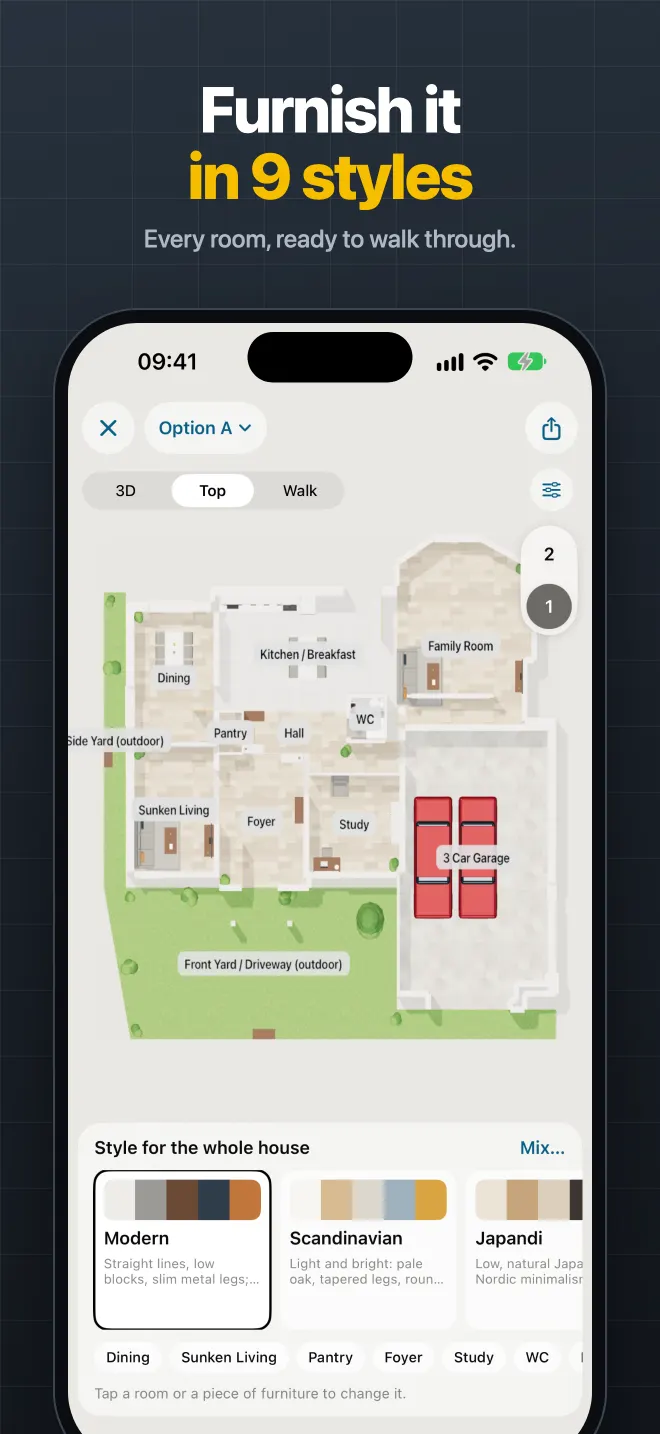
Furnish it in different styles

  • Describe how a room will be used and get layouts with furniture.
  • Try styles like Modern, Scandinavian or Japandi, room by room.
  • Swap pieces, re-layout a room and preview it in 3D and AR.
A furnished floor plan with a choice of interior styles
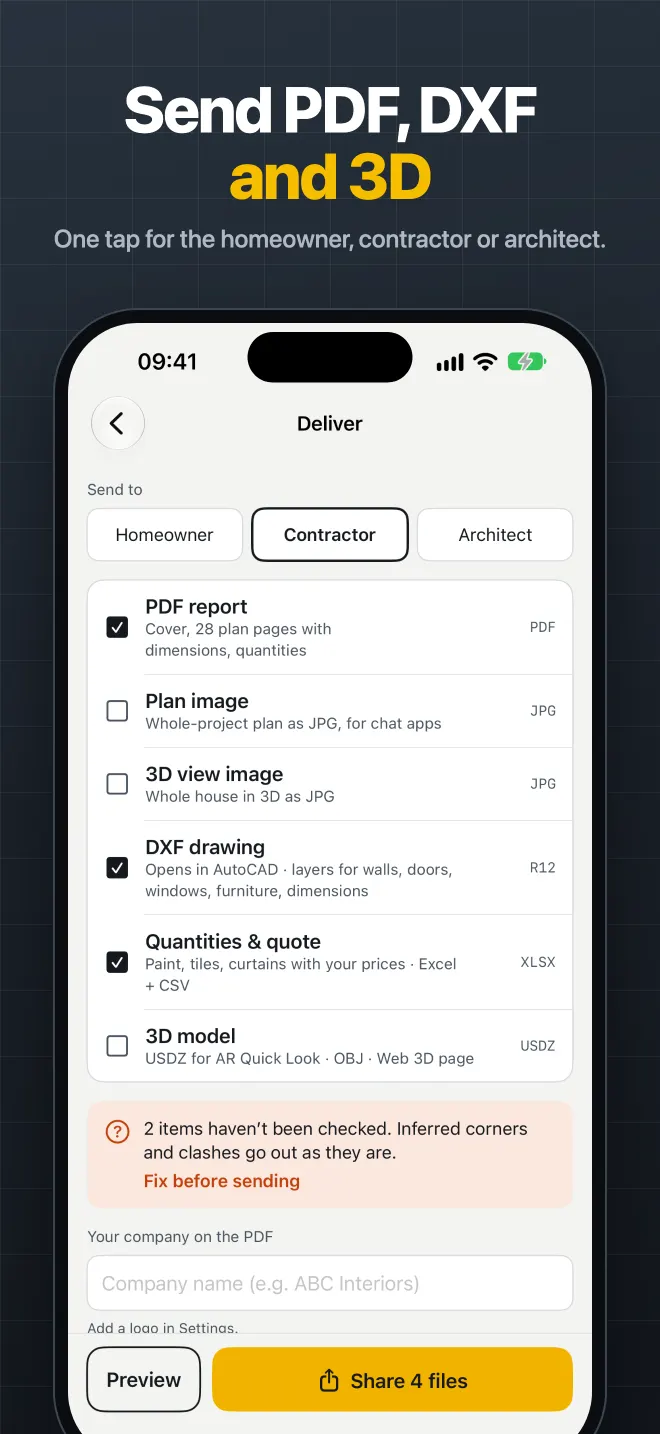
Deliver

Send PDF, DWG and 3D

  • PDF report with your logo, DWG/DXF for CAD, plan images and 3D files.
  • Pick what the homeowner, contractor or architect needs and send it in one tap.
  • Keep every project, floor and revision in one place.
The deliver screen with PDF, DXF and 3D files to send
How it works

Three steps, one project

  1. Measure

    Open the DWG, DXF or PDF drawing. TrueWall finds the floor plans and builds rooms and a 3D house. Scan built rooms with LiDAR or AR.

  2. Check

    Lay the scan over the drawing and see how many walls are within tolerance. Mark up what is off and export it as a DWG layer.

  3. Deliver

    Send a PDF report, DWG/DXF, quantities and 3D files to the homeowner, contractor or architect.

See it in 30 seconds

A short preview recorded in the app: a house drawing becomes rooms, a 3D house, a scan and a wall check.

LiDAR scanning needs an iPhone Pro or iPad Pro with a LiDAR Scanner. Opening drawings, 3D, quantities and AR corner measuring work on other recent iPhones and iPads.

Made for iPad too

The same projects on a bigger screen, for reviewing drawings with clients and on site.

TrueWall on iPad showing a house drawing and its 3D model TrueWall on iPad showing the whole house in 3D

More screens

Pricing

Free to download. Pay only for what you need: Pro for the professional tools, credits for AI.

Free

$0
  • Open DWG, DXF and PDF drawings
  • Quick read: floor plans into rooms, on the device
  • 3D model of the house
  • LiDAR and AR room scanning and measuring
  • Basic exports

TrueWall Pro

Monthly or yearly subscription
  • CAD (DWG/DXF) and 3D export
  • PDF reports with your logo
  • Quantities export
  • Drawing checks: built walls against the plan
  • Bonus AI credits with each paid period
  • The yearly plan starts with a 7-day free trial

AI credits

One-time packs
  • Deep read: AI names rooms and finds doors, windows and furniture
  • Interior design with AI
  • Find sheets in a drawing with AI
  • Credits never expire and are separate from Pro
  • The app shows the credit cost before each AI task

Prices are shown in the App Store and in the app in your local currency. Payment is charged to your Apple Account when you confirm the purchase. The subscription renews automatically unless it is cancelled at least 24 hours before the end of the current period. Manage or cancel in your Apple Account settings. See the Terms of Use.

Questions

Which files can TrueWall open?

DWG, DXF and PDF drawings. They open on your device and work offline.

What is the difference between Quick read and Deep read?

Quick read runs on your iPhone or iPad, is free and never leaves the device. Deep read sends the drawing to TrueWall’s server, where an AI reads the whole file to name rooms and find doors, windows and furniture. It uses credits, and the app shows the cost before you start. Reading the same file again is free.

Do I need a LiDAR iPhone?

LiDAR scanning needs an iPhone Pro or iPad Pro with a LiDAR Scanner. Without LiDAR you can still measure rooms by tapping the corners in AR, and everything else (drawings, 3D, quantities, export) works on other recent iPhones and iPads.

How accurate is it?

Accuracy depends on the device, the light and the room. Use TrueWall to find problems early, and confirm critical dimensions with a tape before ordering materials or building.

Are my drawings used to train AI?

No. Drawings you send for AI features are not used to train AI models. Our AI partner deletes them within 30 days. TrueWall keeps them so you can read them again for free, until you delete them in Settings › Delete my AI data. Read the Privacy Policy.

Do I need an account?

No sign-up, no email, no password. The app creates an anonymous account tied to your device to keep your credits and purchases.

Which languages does the app support?

TrueWall is available in 16 languages.

How do I cancel Pro?

Open Settings on your iPhone or iPad, tap your name, then Subscriptions, and choose TrueWall. Cancel at least 24 hours before the period ends.

More answers on the Support page.

Measure. Check. Deliver.

Every project, from drawing to handover.